01
Import, arrange, cut and move
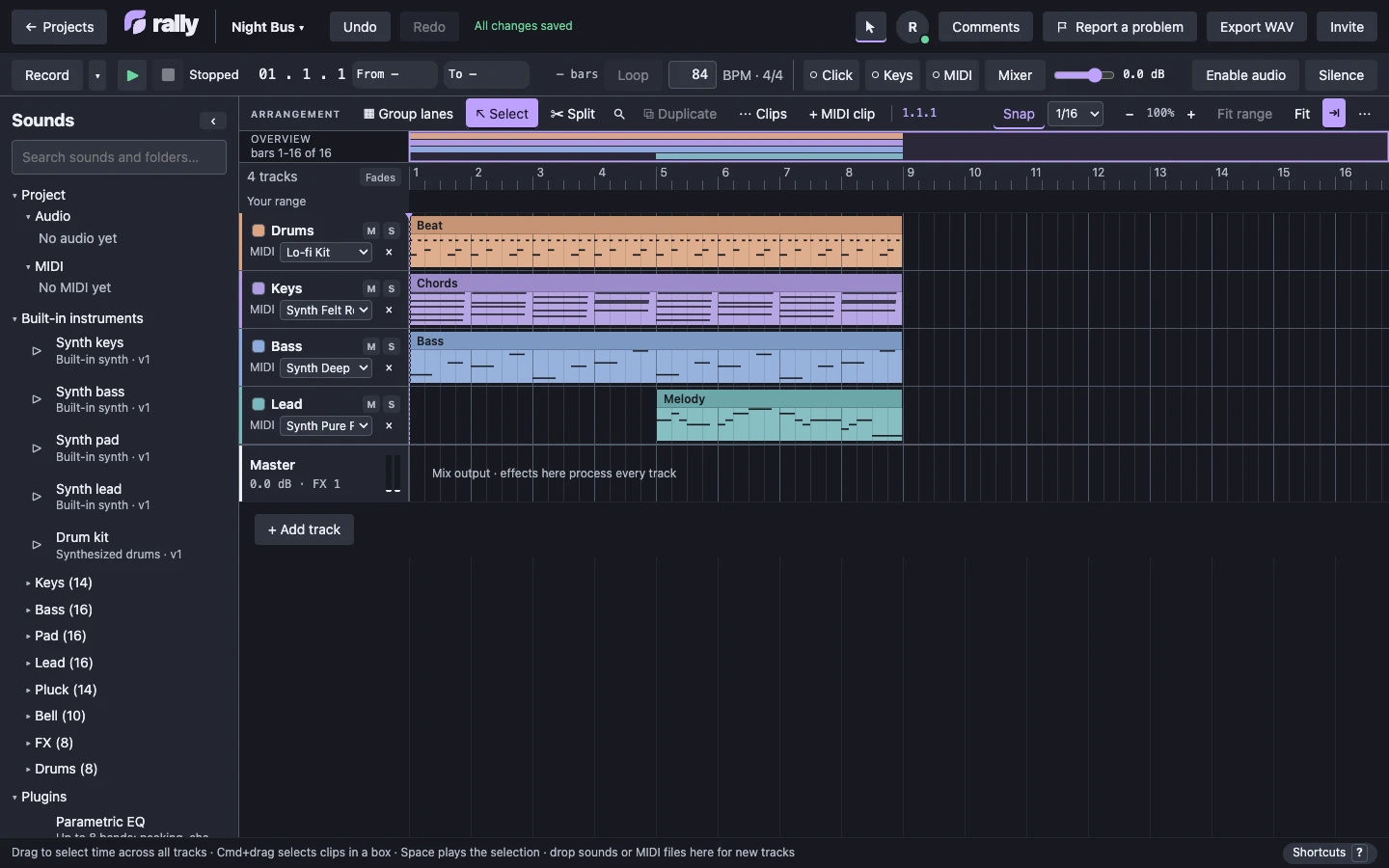
Bring in WAV and MP3 audio and MIDI files. Place them as clips on tracks, cut them, trim them and move them along a bar and beat grid. Select a range across every track and play just that part.
 rally
A MUSIC STUDIO BY JAQ STUDIOS
Rally is a browser music studio where 2 to 4 people work on the same project together, each hearing it played in their own browser.

TRY IT NOW
A short beat called jack, made with Rally's built-in drum kit and synth. Press play, move clips, change notes and undo. You need no account. Nothing is saved, and export is off in the demo.
Open the demoMeet Rally in just over a minute.
Turn the sound on. Bring someone along.
A musical idea can happen in seconds. Working on it with someone else should keep that momentum.
Rally is a shared music workspace in your browser. Arrange audio, write MIDI, and record live audio together, all in the same project.
Today, you can bring in your sounds, shape an arrangement, and see your collaborators’ edits as you work.
Write MIDI parts with built-in instruments. Start with a simple melody, and build on the idea together.
Select a section and loop it. Hear how the parts fit together. Make a change, listen again, and keep what works.
Record live audio right in your shared project. Capture a new part, hear it with the arrangement, and keep building together.
Experiment with edits you can undo, then export your full arrangement as a WAV.
Bring your next idea to Rally, and help shape what comes next. Rally. Make music together.
01 / WHAT WORKS TODAY
Rally is a working studio in the browser, still in development. These are the things you can do in it now, shown in screenshots of the editor.
Bring in WAV and MP3 audio and MIDI files. Place them as clips on tracks, cut them, trim them and move them along a bar and beat grid. Select a range across every track and play just that part.
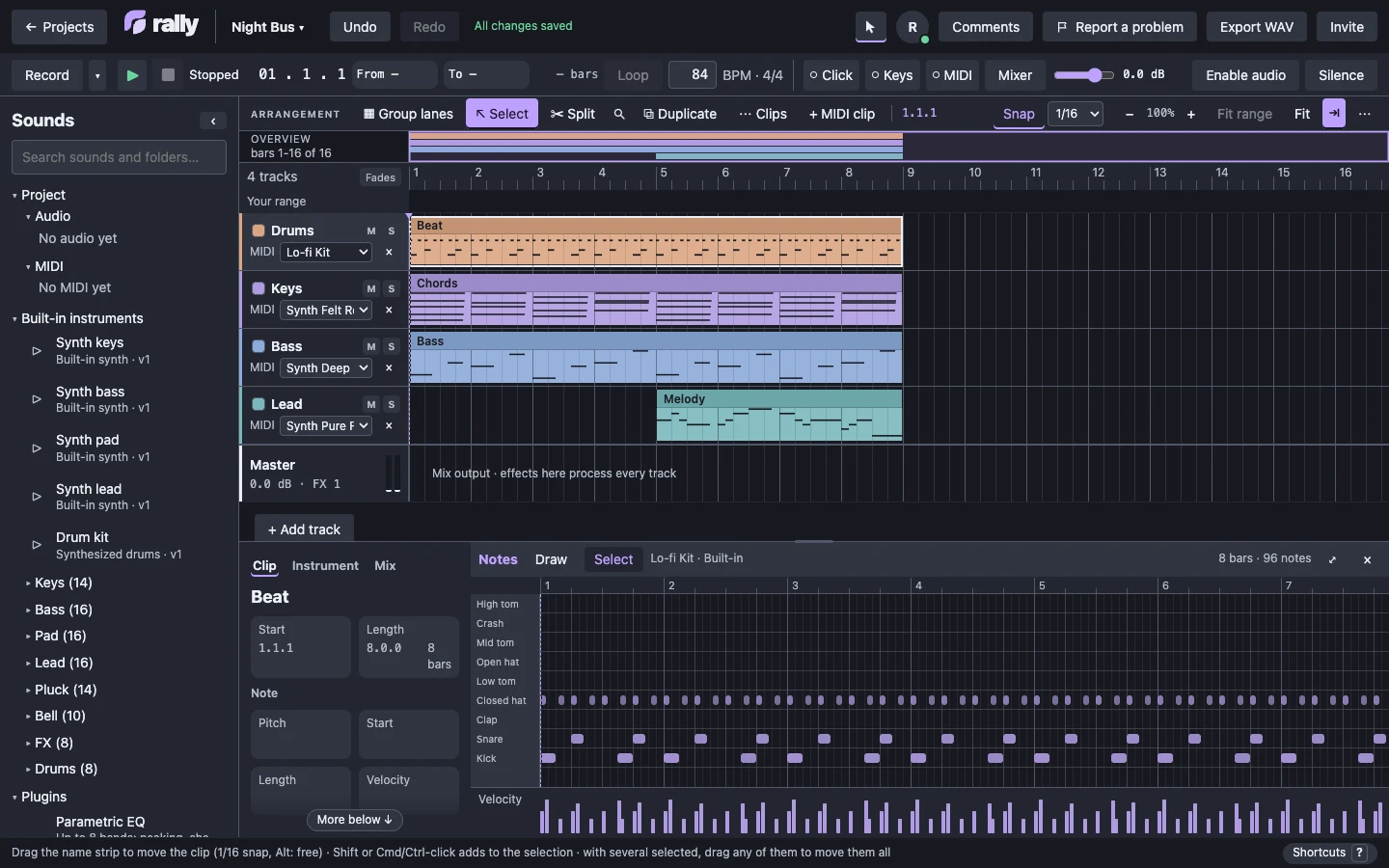
Open any MIDI clip to draw, select, move and resize notes, set their velocity and snap them to the grid.
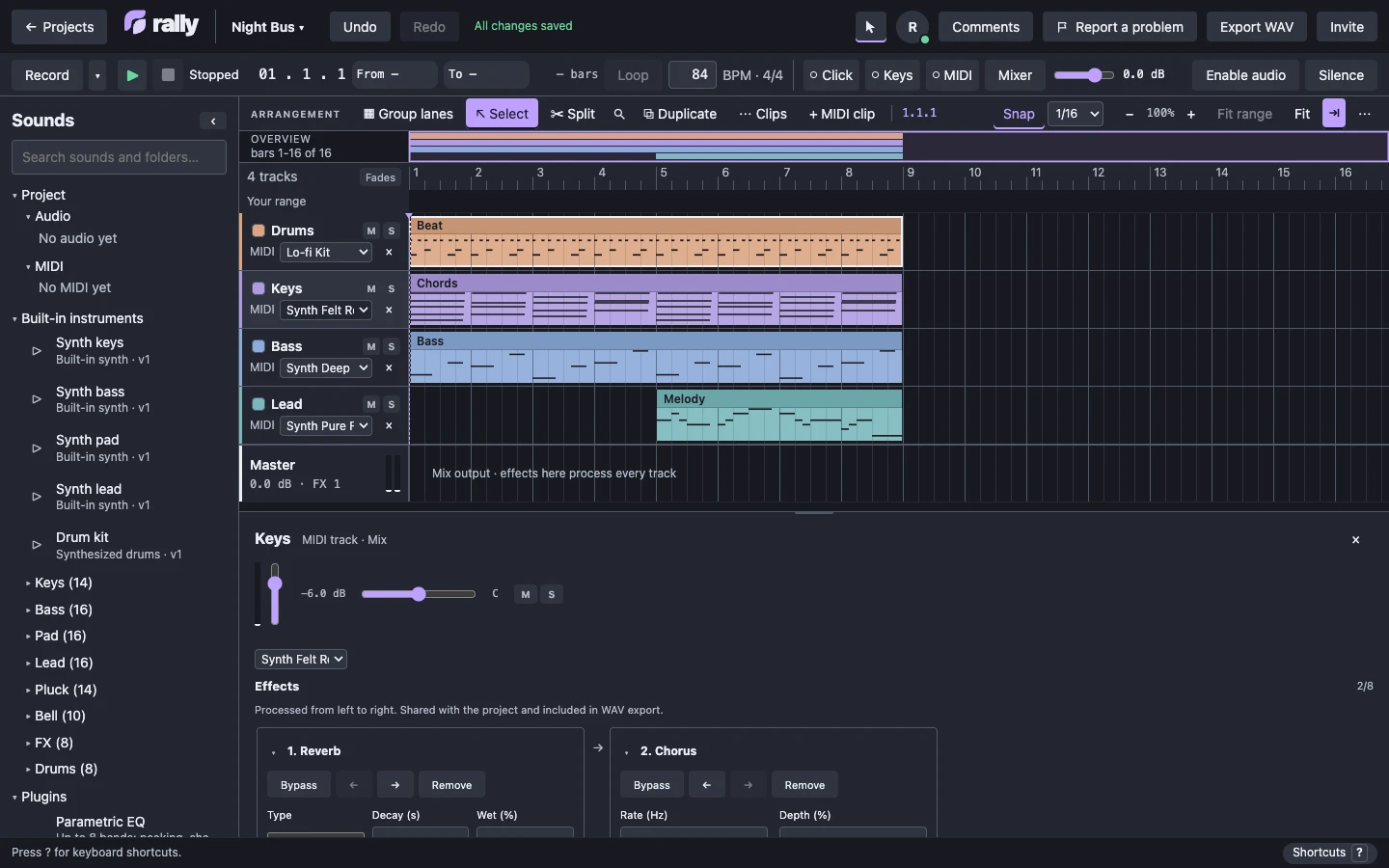
Play MIDI through the built-in synth keys, bass, pad, lead and drum kit. Shape tracks and the master output with effects such as EQ, filter, compressor, reverb and chorus. Effects are shared with the project and included in the WAV export.
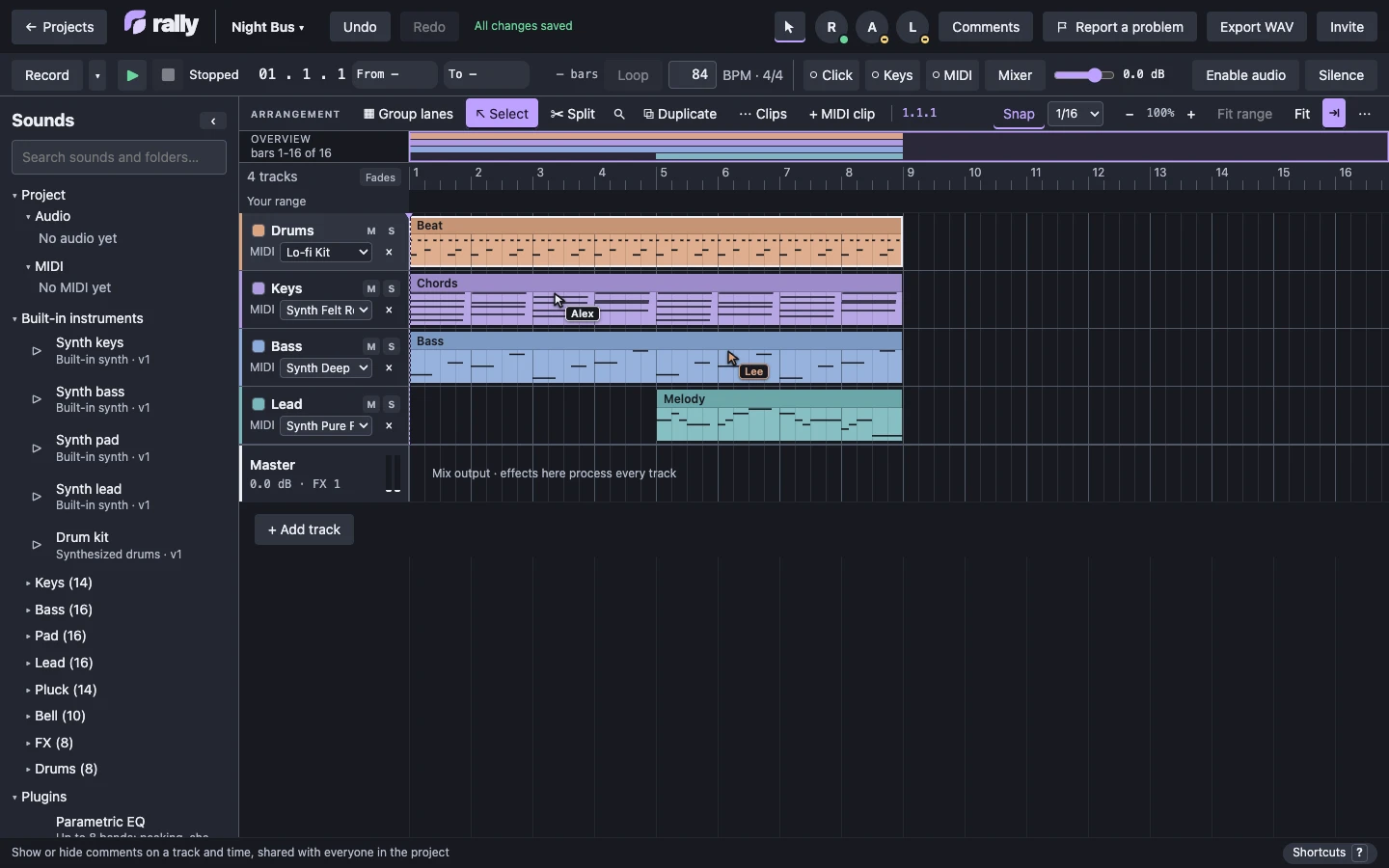
Up to 4 people can work in one project. You each work in your own browser, see who is in the project and where they are, and hear it played locally. Choose your own range to listen to without moving anyone else's.
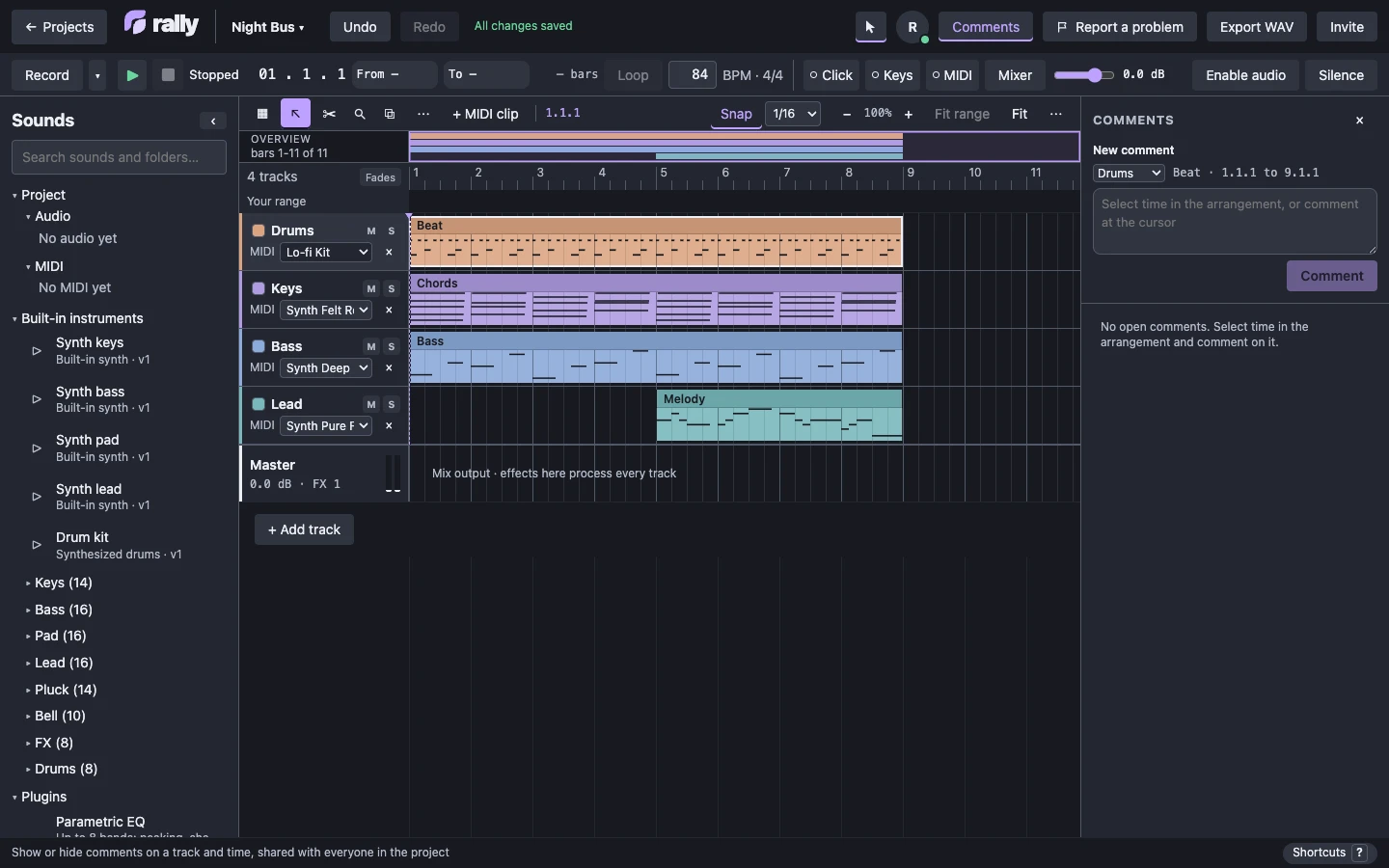
Leave a comment on a track and a stretch of time for everyone in the project to see. Keep snapshots of a project as you go.
Record notes from a MIDI keyboard or from your computer keys onto a MIDI track. Hardware MIDI needs a browser with Web MIDI.
Undo and redo your own edits, including a move that replaced part of another clip, in one step.
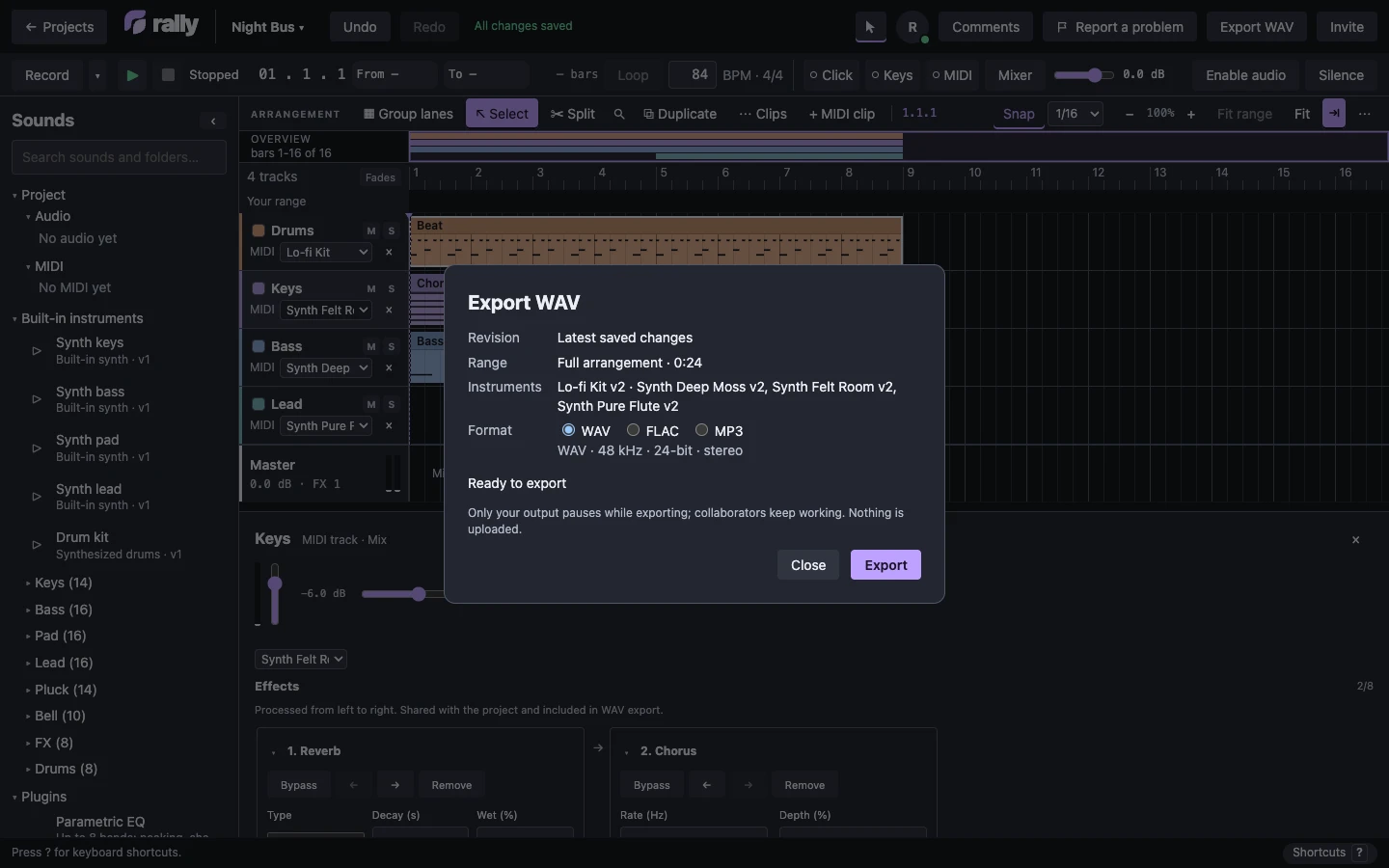
Export the whole project as a stereo WAV file.
THE APP TODAY
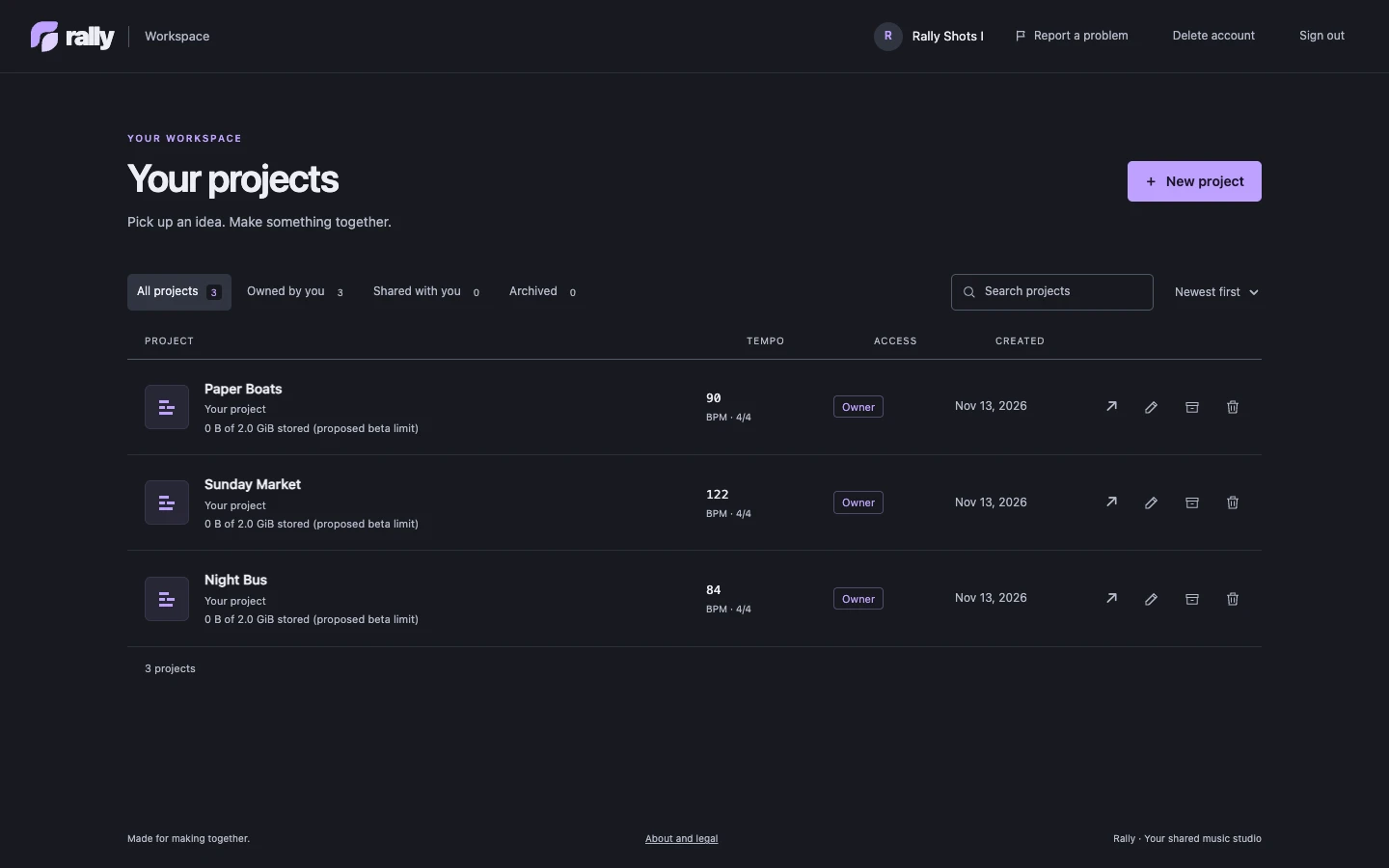
Two more screens from the running app. Each picture names the Rally version it was captured from.
02 / COMING TO RALLY
We are building optional AI tools into Rally for a later phase of the beta. They stay off until you turn them on, and they only work on what you choose.
Select a rough spot, one track or several, or a stretch of time, and ask Rally to mend only that selection. You hear the fix before you keep it, and Undo brings back what you had.
A separate coach you can switch on or off. It learns how you work and suggests settings, such as snap, quantize, instrument and effect settings, and levels. It never changes your project until you click.
Not in the beta yet. Both come in a later phase and the details may change. Beta testers will hear about them first.
03 / BEFORE YOU SIGN UP
Desktop Chrome or Edge is recommended. Connecting a MIDI keyboard needs Web MIDI, which Safari does not have.
04 / WHAT'S NEXT
Rally is free while it is in beta. We are working out paid plans, and ways to reward the people who help shape Rally. We will share the details here first.
05 / JOIN THE BETA
Be in Rally's ads, if you want to. Beta testers can choose to be featured in Rally's advertising, with their music or their story. Write to hello@jaqstudios.com if you are interested. It is entirely optional, and we will not use your name, voice, music or image until you have agreed in writing to exactly what we would use.
Want a feel for it first? Try the demo in your browser: a short song made with Rally's built-in sounds. You need no account, nothing is saved, and export is off in the demo.
Sign-up opens a short form. If it does not, write to hello@jaqstudios.com with your name and email, whether you are 18 or older and live in the United States, and what you make.
The Rally beta is free. It is invite-only, and we add testers one by one.
We read every signup and email you if you are accepted. Signing up shares your name, email and answers with JAQ Studios. We keep them in our private GitHub issue tracker, and send the welcome email through Resend. We use them only for the beta.
Before you sign up, you can read the beta agreement and the beta privacy notice.